AI Agent Evaluation: Metrics, Methods, and a Step-by-Step Framework
Written By:
Matt Tanner
Published on
Your support agent passed the demo. It looked up the order, called the refund tool, and told the customer the money was on its way. Run that same conversation ten more times, though, and you might watch it skip the identity check twice and pass the wrong amount to the refund tool once. AI agent evaluation is how you find that out before your users do.
This guide covers outcome, trajectory, and step-level metrics, then walks through a seven-step evaluation process: define success, grade repeated runs, compare configurations, and turn production failures into test cases.
What Is AI Agent Evaluation?
AI agent evaluation is the practice of measuring whether an AI agent completes its task and whether it gets there the right way: the tools it picks, the arguments it passes, the steps it takes, what it costs, and whether it stays inside its rules. Because AI agents are non-deterministic, you repeat that measurement across many runs of the same task.
The thing you grade is different from a chatbot answer: an agent trial ends with a state in the environment, not just a message. A flight-booking agent can say "Your flight has been booked" and still fail, because the outcome is whether a reservation exists in the database.
That matters more as AI agents take real actions in real-world systems. They call tools across many turns and modify state as they go, so mistakes can propagate and compound. A customer ID misread at step two becomes a refund on the wrong account at step six.
How Agent Evaluation Differs From LLM Evaluation
Agent evaluation adds five problems that single-response LLM evaluation doesn't have:
The unit is a trajectory, not a completion. A transcript (also called a trace or trajectory) records the whole trial: outputs, tool calls, reasoning, and intermediate results.
Agents change the world. A tool call writes a row or sends an email, so you check the environment after the run, and every trial needs a clean environment to start from. You can't rerun a refund test against a database where the first run already issued the refund.
Errors compound across multi-step runs. One bad lookup poisons every later step, so you need step-level checks to find where a run broke.
Many agents are multi-turn. They gather information from a user over a conversation, which is why benchmarks like τ-bench simulate the user with a language model. Judging turn five means reading turns one through four.
Variance is part of the result. The same task and configuration can pass on one run and fail on the next, so agent reliability across runs is a metric in its own right.
Text-quality metrics like correctness, faithfulness, and relevance still apply to the agent's final response, and our guide to LLM evaluation metrics covers that general toolbox. The rest of this post is about what's specific to agents.
What to Evaluate: Outcome, Trajectory, and Individual Steps
Every agent eval has the same anatomy. A task and its environment go to the agent (a model, a prompt, and a set of tools). The run produces a transcript, graders (code, an LLM judge, or a human) score that transcript and the final state, and you repeat the whole thing for k trials before you aggregate the scores.

Outcome: Did the Agent Finish the Job?
Start with the outcome, because it's what the user cares about, and check state rather than words. The τ-bench benchmark grades customer-service agents by comparing the database state at the end of a conversation with an annotated goal state. Its reward multiplies two checks: whether the final database matches the ground-truth outcome, and whether the agent's replies contained the information the user needed.
For a refund agent, the eval looks for a refund record with the right order ID and amount, then checks that the reply told the customer the amount. A warm, apologetic reply with no refund record is a failure.
Score completed sub-goals as well as overall success. A support agent that verifies identity but fails to issue the refund completed part of the task; partial credit distinguishes it from an agent that failed before verification.
Trajectory: Was the Path Reasonable?
An exact tool-call sequence can reject a valid solution simply because the agent took a route the eval designer didn't anticipate. Check the result without requiring one scripted path, while enforcing the policy constraints that matter.
A correct final state can still hide a policy violation. In τ-bench, an agent might create a return without obtaining the required user confirmation. Check policy constraints along the path without requiring one exact tool-call sequence:
A required step happened before a write, such as user confirmation before a refund.
A forbidden tool was never called, like a support agent deleting a customer record.
The run stayed under a step or tool-call budget.
The agent didn't repeat the same call with the same arguments, which is usually a loop.
If the agent retrieves documents along the way, as in agentic RAG, score that step like a RAG pipeline, checking whether retrieval supplied the evidence the planner needed.
Steps: Right Tool, Right Arguments, Right Handoff
Step-level checks on tool selection, arguments, and handoffs tell you where a failed run went wrong:
Did the agent pick the right tool for this step, and skip tools when none was needed?
Are the arguments valid against the tool's schema and grounded in the conversation or earlier tool results? An order ID found nowhere in the conversation or earlier tool results is unsupported, even if it's well-formed.
In a multi-agent system, did the router hand the request to the right sub-agent with the context it needed?
With every call logged, code checks can compare tool names and parameter values against the expected behavior.
Reliability: Does It Succeed Consistently?
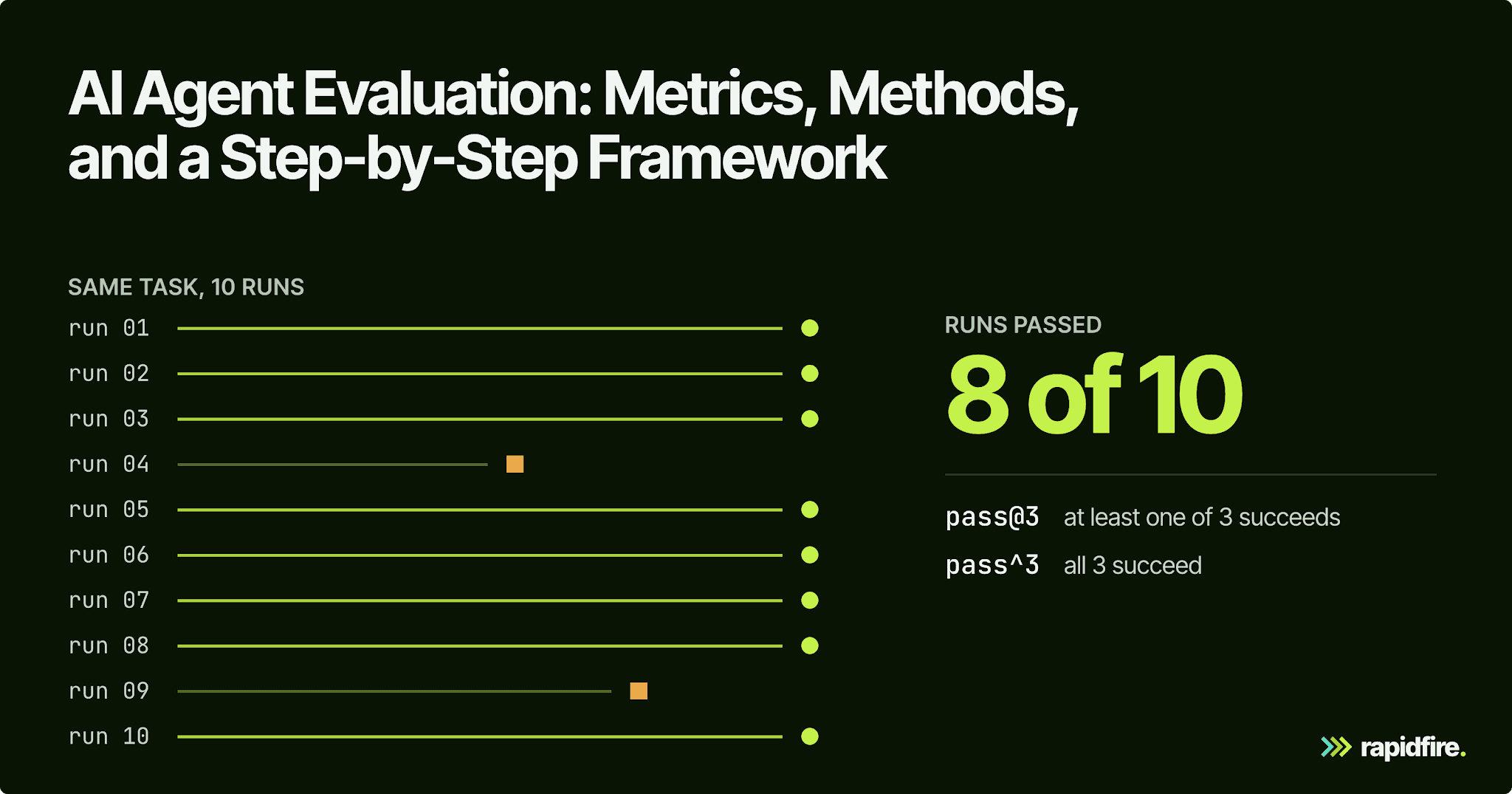
A single passing run tells you the agent can do the task, not that it will. pass@k is the chance that at least one of k trials succeeds, while pass^k (introduced by τ-bench) is the chance that all k trials succeed, averaged across tasks.
Choose the reliability measure that matches how the agent will be used. pass@k is useful when one successful attempt is enough, such as a coding tool that proposes several fixes. pass^k is useful when users need the same task to succeed repeatedly.
The difference can be large. In the τ-bench paper, gpt-4o with function calling succeeded on about 61% of single retail-task trials, but its all-eight-trials success rate was about 25%. Anthropic's guide gives a simpler illustration: with a 75% success probability on each independent trial, the probability of three successes in a row is 0.75 × 0.75 × 0.75, or about 42%.
τ-bench also gives unbiased estimators for when you run each task n times and c runs succeed. This standalone Python 3.10+ example uses only the standard library; supply integer counts satisfying 0 ≤ c ≤ n and 1 ≤ k ≤ n:
In the example above, the agent succeeds in 8 of 10 recorded runs. Its estimated pass^3 is about 0.47: the estimated chance of three successful trials in a row is only about half, despite the 80% observed single-run success rate.
Calculate these estimates for each task, then average across tasks. Keep k no larger than n. The estimators assume independent trials under the same conditions for each task and configuration, so reset the environment between trials and control or document other sources of variation. These are estimates from a finite set of runs, not guarantees about future behavior.
AI Agent Evaluation Metrics
These are the ten agent evaluation metrics we'd put on a first scorecard. For a retrieval-heavy agent, add the retrieval checks from our guide to RAG evaluation metrics.
Metric | What it measures | How to score it | Example |
|---|---|---|---|
Task completion rate | Share of trials where the end state and final response meet the success criteria | Code for state; LLM judge for open-ended replies | Refund record exists; reply states the amount |
Partial completion | Credit for finished sub-goals in multi-part tasks | Code checklist per milestone | Verified identity and found the order, no refund: 2 of 3 |
pass^k | Whether a task succeeds on all k repeated trials | Code over repeated runs | 0.47 at k=3 for a task that passes 8 of 10 runs |
Tool selection accuracy | Right tool at each step, and no tool when none is needed | Code against the expected tool; LLM judge when several are valid |
|
Argument correctness | Arguments match the schema and are grounded in the conversation | Code for schema and values; LLM judge for free text |
|
Policy adherence | No forbidden actions; confirmations happen before writes | Code on the trajectory; LLM judge for soft rules | No refund call before the user says yes |
Step efficiency | Tool calls or turns versus a budget or reference solution | Code, from transcript counts | 9 tool calls where the reference needs 3 |
Latency per task | Time from request to final answer | Code, from timestamps | p50 and p95 seconds per task |
Cost per task | Token and API spend per completed task | Code, from usage logs | Dollars per successful refund |
Human escalation rate | How often the agent hands off to a person, and whether it should have | Code for the rate; human review for fit | Escalates refunds over a limit, never simple lookups |
Cost belongs next to success rate, not in a separate report. Kapoor et al.'s "AI Agents That Matter" found that for substantially similar accuracy, agent cost can differ by almost two orders of magnitude, and recommends plotting accuracy against cost as a Pareto curve.
Most metrics in the table can be scored by one plain function per task. Here's a code-only grader modeled on τ-bench's reward (state check times output check), plus a policy line and a step budget:
Run this standalone example with Python 3.10+. It needs no API key or dependencies and does not issue a refund. It grades a recorded fixture: the refund record, the amount mentioned in the reply, the names of tools called, and the number of calls.
Notice that over_budget is reported separately from task_success. A run can therefore pass the task check and exceed the budget. Add the budget condition to your release gate if that should block shipping.
The grader is deliberately small. It does not check confirmation before the refund, validate tool arguments, or understand the reply's meaning. Even a reply denying the refund could pass the substring check if it contains "54.04". Pair these checks with ordering and argument validation and the semantic graders below.
Evaluation Methods: Code-Based Checks, LLM Judges, and Human Review
Use code for checks with explicit answers, model-based graders for judgments code can't express, and people to validate that those graders work.
Code-Based Checks
Code-based graders are fast, cheap, objective, reproducible, and easy to debug. They handle state checks, schema validation, forbidden-tool rules, budgets, and anything else with a right answer you can write down. Their weakness is brittleness: a strict string match fails a reply that says "$54.04" when you expected "54.04 USD". Check structured state where you can, and normalize values before comparing text.
LLM Judges
LLM judges cover what code can't, like whether a plan was sensible or a reply explained the policy clearly. They handle open-ended output, but they're non-deterministic, cost more than code, and need calibration against human graders. For AI agents, give the judge the whole multi-turn transcript and a narrow rubric for one criterion, not just the final message.
Zhuge et al.'s Agent-as-a-Judge framework uses an agentic system as the grader so it can inspect intermediate work. On their code-generation benchmark, it outperformed a plain LLM judge and matched the reliability of their human evaluation baseline. Whatever judge you use, hold it fixed while you compare agent versions. Our guide to LLM as a judge covers how to build and validate one.
Human Review
Use domain experts to define success on ambiguous tasks and label transcripts to calibrate the judge. If two experts independently applying the rubric disagree on pass or fail, clarify the task or criteria before automating the decision. Human review takes time, so prioritize those definition and calibration decisions.
Offline vs. Online Agent Evaluation
Offline evaluation runs a fixed task set before you ship. Online evaluation scores what the agent does with real traffic afterward. You need both:
| Offline evaluation | Online evaluation |
|---|---|---|
When it runs | Before release, on every agent change and model upgrade | After release, on all or a sample of traffic |
Data | A curated task set with ground truth outcomes | Production traces from real users |
What it catches | Regressions and known capability gaps | Drift and failure modes nobody anticipated |
Typical use | CI/CD gates, comparing configurations | Production monitoring, A/B tests |
Use A/B tests to check significant changes on live traffic once you have enough observations. Keep capability and regression suites offline: capability tasks expose gaps, while regression tasks cover behavior that already works. A regression pass-rate drop can block a merge; capability scores show whether changes are closing the gaps.
The halves form a loop. You compare configurations on the offline task set and ship the winner, production traces surface new failure cases, and those go back into the offline task set. In customer-specific deployments, a forward-deployed engineer often runs this loop.

How to Evaluate AI Agents: A Step-by-Step Framework
Use the following process to build an evaluation suite, then repeat steps 4 to 7 as you test changes.
1. Define Success for the Task
Write down what a successful run produces in terms you can check: the state change, the information the user must receive, and the lines the agent must not cross. Add a budget in tool calls, seconds, or dollars. If you can't write success criteria for a task, a judge won't fix that.
2. Build a Task Set From Real Cases and Edge Cases
Start with 20 to 50 simple tasks drawn from real failures; early changes can have large, visible effects on a set this size. Pull cases from manual testing, support tickets, and bug reports, then add edge cases.
Test agent behavior both when it should happen and when it shouldn't, or you'll get an agent that searches for almost everything because you only tested whether it searches. Then set aside a held-out split you never tune against. Kapoor et al. found many agent benchmarks have inadequate holdout sets or none at all, producing agents that overfit and take shortcuts, and a private task set has the same risk.
3. Set Up a Harness and Graders
Set up a runner that starts each task, records the trace, applies your graders, and collects the scores. That is the evaluation harness. The agent harness is the software that lets the model act, including its tools and control loop. Your tests evaluate that software and the model together.
Each trial needs a clean starting environment. Leftover state can change the result: Anthropic observed an agent gaining an unfair advantage by reading git history from previous trials. Write a reference solution for each task as well, to establish that the task is solvable and that your graders accept a valid solution.
4. Run Each Task Several Times
Start with three to five trials per task if your task set is small. Report the single-run success rate alongside pass^k so readers can distinguish occasional success from repeated reliability.
Keep each configuration's model version, temperature, and tool definitions fixed across its repeated trials. This reduces configuration drift, but tools, simulated users, and the environment can still vary. Record their versions and settings too, so you can investigate a score change rather than attributing every difference to the agent.
5. Read Transcripts and Label Failure Modes
Evaluation results tell you that something failed, and transcripts tell you why, including whether the agent made a genuine mistake or your grader rejected a valid solution. Tag each failed run with one failure mode: wrong tool, bad arguments, failure to ask for missing information, loop, policy breach, giving up early, or grader error.
6. Compare Configurations, Not One Change at a Time
Once you can score a run, compare configurations (prompts, models, retrieval settings, and the like) on the same task set with the same graders. Changing one knob at a time is slow and misses interactions between knobs. We built RapidFire AI for this comparison step, covered in the next section.
7. Turn Production Failures Into New Test Cases
Converting user-reported failures into test cases keeps your suite tied to actual usage. When a capability eval saturates, move it into the regression suite, since an eval at 100% tracks regressions but gives no signal for improvement.
Common Agent Evaluation Mistakes
Testing only clean examples. Real users send typos, partial information, and contradictory requests.
Trusting an uncalibrated judge. A judge nobody has compared with human labels is a guess with a number attached.
Letting aggregate scores hide failures. A 90% task completion rate can hide 0% on the task type that matters most.
Reporting single-run results. One pass per task overstates reliability.
Grading only the final answer. A correct end state can still hide a skipped confirmation or a forbidden call.
Compare Agent Configurations Systematically, Not by Vibe Check
A useful change in one part of an agent may depend on another. A new tool description can change tool selection; different retrieval settings can change the evidence available to the model. Compare complete configurations so those interactions are visible.
The settings can include the system prompt, model and sampling parameters, tool definitions, chunking, retrieval depth, reranking, and workflow structure. Our LangGraph tutorial exposes the model, tools, and system prompt as parameters. That gives you a starting point for testing alternatives on the same tasks.
Skip that measurement, and it's easy to fall into what we call the intuition trap: tuning from best guesses one run at a time. Choosing a few plausible configurations and stopping when their answers look acceptable leaves the alternatives unmeasured. Kapoor et al. found that simple baselines, like retrying a model with gradually rising temperature, matched the best-performing complex agent architecture on HumanEval.
The systematic alternative:
Fix the task set, graders, and metric suite, including cost and latency.
Run many configurations against it at once, repeating trials where outputs are stochastic.
Stop the clearly weak configurations early, then clone the strong ones and expand around them.
Keep every score for every configuration, so you can re-rank when priorities change.
Confirm the winner on held-out tasks before you ship.
Keep all metric results so you can see what a winning configuration gives up. In our case study, we evaluated a global automotive manufacturer's RAG assistant across 432 configurations using 7 Ragas metrics and 3 LLM-judge metrics. The composite score weighted Answer Correctness at 50%.
The selected configuration ranked first on Answer Correctness, which compares answers with a reference, but only about 282nd on Faithfulness, which checks support in the retrieved context. This was a RAG pipeline rather than an agent, and the result applies to its measured dataset. The relevant lesson for agents is to inspect the whole scorecard: the best task-completion rate may come with more policy violations or a higher cost per task.
Our open-source (Apache-2.0) experiment engine, RapidFire AI, runs this kind of comparison for RAG and prompt pipelines before deployment. It runs many configs on the same eval set at once and scores each with metric functions you write, so correctness or cost checks apply identically to every config.
RapidFire processes the eval set in groups of examples called shards, so you can inspect results before the whole run finishes. For supported sums, averages, or proportions, declare the metric type and value range to get running estimates with confidence intervals. Shuffle tasks that are grouped or sorted by difficulty, label, or source before relying on those early estimates.
You can then stop weak configs and clone-modify strong ones mid-run. Experiments using only closed-model APIs for embeddings and generation do not need a local GPU.
The open-source workflow described here compares retrieval and prompt settings rather than complete agent workflows. Agentic workflow comparison is also part of our broader RapidFire AI platform; talk to our team about support for your workflow. Pair offline comparisons with production monitoring for the online half of the loop.
AI Agent Evaluation Tools and Benchmarks
AI agent evaluation tools fall into four groups:
Category | Examples | Use it for |
|---|---|---|
Open-source evaluation frameworks | Inspect, from the UK AI Security Institute and Meridian Labs, with agent support and sandboxing | Writing tasks and scorers you can rerun in CI/CD |
Tracing and observability platforms | Several commercial and open-source options | Capturing production traces, scoring live traffic |
Public benchmarks | See the next table | Comparing base models and agent designs on shared tasks |
Experiment runners | RapidFire AI | Comparing many configurations on your own eval set before deployment |
Each public benchmark tests something different:
Benchmark | What it tests |
|---|---|
Resolving real GitHub issues by editing a Python codebase | |
τ-bench | Customer-service conversations with a simulated user, domain API tools, and policy rules |
Real-world questions that need reasoning, multimodality, web browsing, and tool use | |
Long-horizon tasks on functional websites, graded on functional correctness | |
LLMs acting as agents across 8 distinct environments |
Use benchmarks to shortlist models, not to pick your configuration: Kapoor et al. note that model developers and downstream developers have different benchmarking needs. Only your own task set tells you which configuration works for your users.
Conclusion
Evaluating AI agents means grading the outcome, the path, and the steps across repeated runs, with cost and latency on the same scorecard as success. After that, compare many configurations on the same tasks and feed production failures back into the task set.
Start small: 20 tasks, one grading function, and five runs per task. The case study above shows configuration comparison at scale. To try it yourself, open our RAG notebook on Colab, which runs four retrieval configs against one eval set with a metric function you can swap for your own. If you need to compare multi-step agent workflows, talk to our team.
FAQ
How Can an AI Agent Be Evaluated?
Run it against tasks with defined success criteria, record each run's transcript, and grade the final state, the path, and individual tool calls. Use code checks where there's a right answer, LLM judges for open-ended quality, and human review to calibrate both. Repeat each task several times, because agents vary from run to run.
How Do You Measure the Performance of an AI Agent?
Track task completion rate first, then pass^k across repeated trials, tool selection accuracy, argument correctness, policy adherence, step efficiency, latency, and cost per task. Report cost next to success rate, since agents with similar accuracy can differ widely in cost, and slice every metric by task type so averages don't hide failures.
How Do You Create Evals for AI Agents?
Start with 20 to 50 tasks drawn from real failures, each with a written definition of success and a reference solution. Add edge cases and tasks where the agent should not act. Build a harness that starts every trial from a clean environment, write code graders for state and tool calls, and keep a held-out split you never tune against.
Can an LLM Judge Evaluate an AI Agent?
Yes, for the parts code can't check, such as whether a plan was sensible or a reply explained a policy clearly. Give the judge the full transcript and a narrow rubric per criterion, validate its verdicts against human labels before trusting it, and keep the judge fixed while you compare agent versions. Use code for state changes and tool arguments.